One-time purchase · Fully offline · No subscription

Study from Your Books.
Answer with AI.

Ask questions from any PDF or scanned book — get instant AI answers, MCQ practice, and summaries. No internet required after setup.

What the app does

Everything runs on your own PC. Your books never leave it.

See it working

Real screens of the app on Windows. A short demo (38 s, no sound), then each part.

Demo: library, answers, MCQ practice and mock tests.
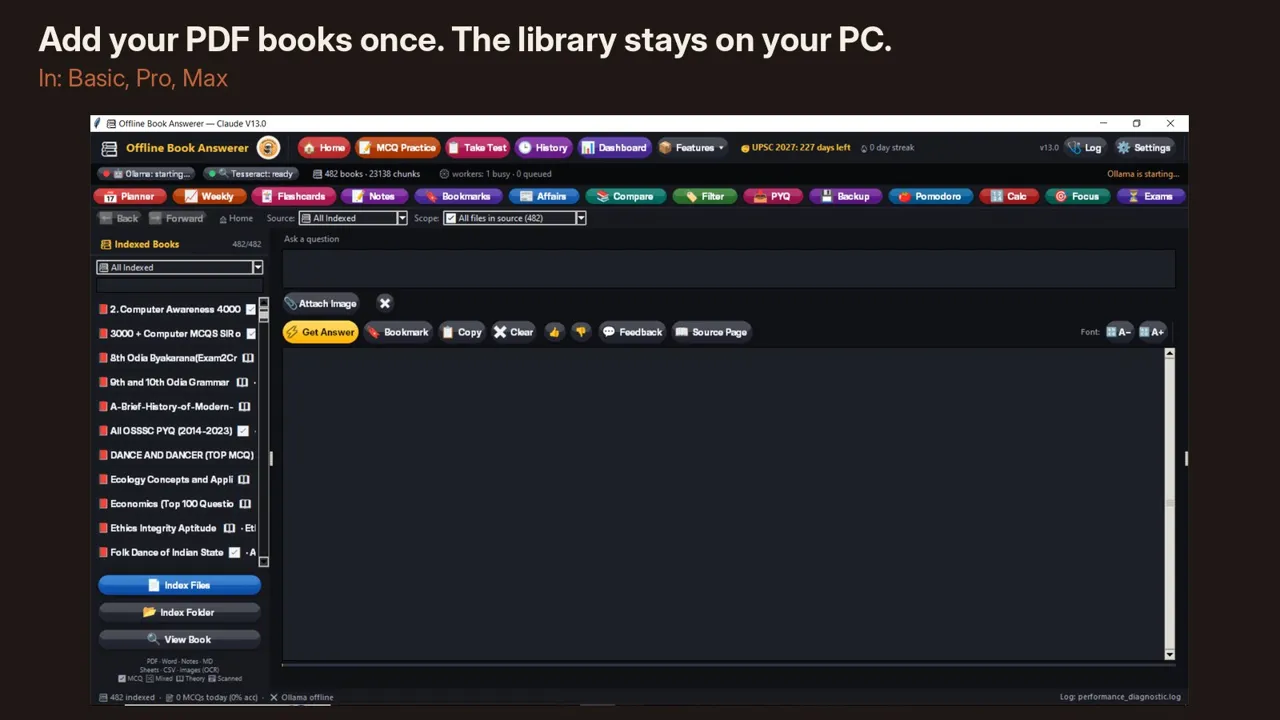
Library of indexed PDF books in the app
Add your PDF books once. The library stays on your PC. Basic, Pro, Max
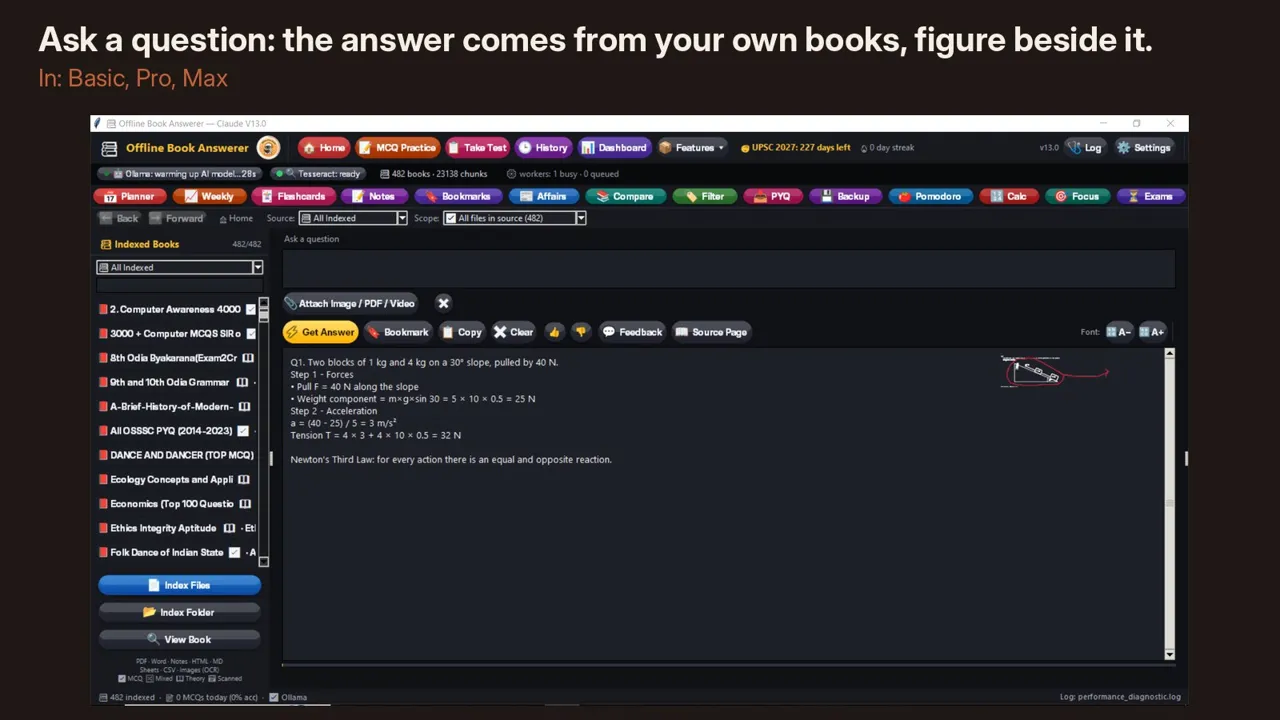
An answer from the user's book with the figure beside it
Answers from your own books, with the figure beside them. Basic, Pro, Max
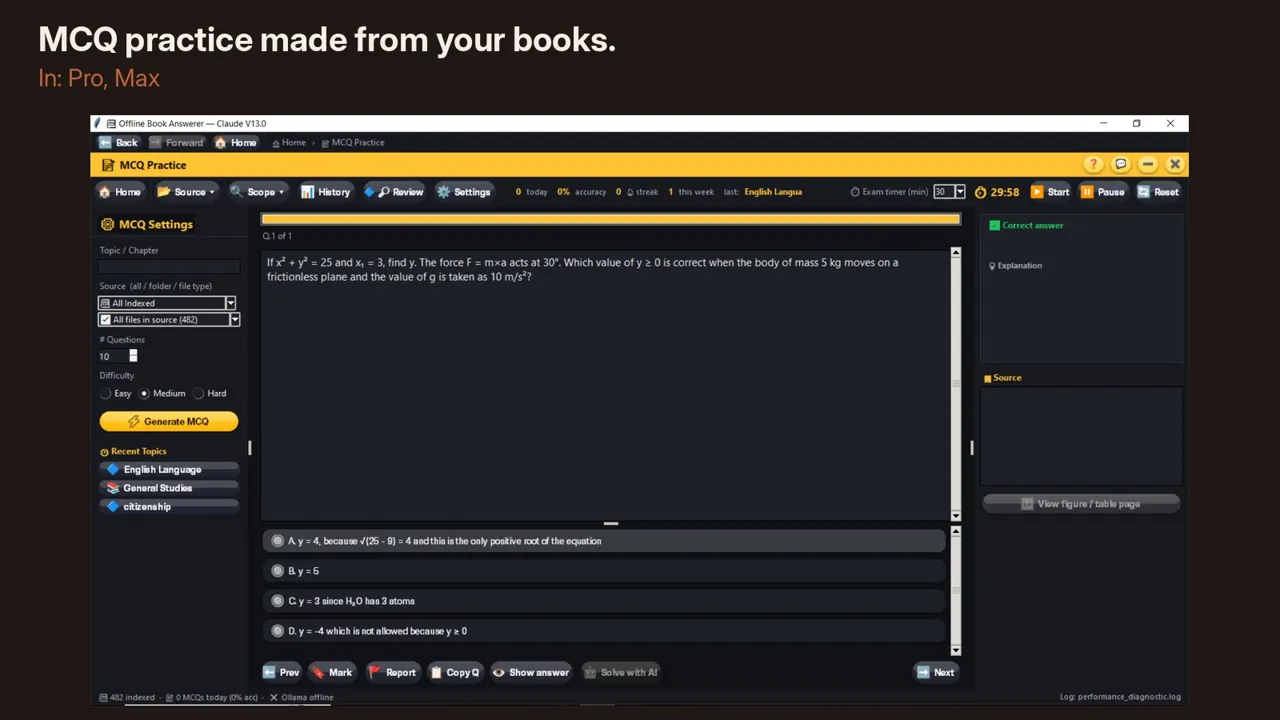
MCQ practice screen
MCQ practice made from your books. Pro, Max
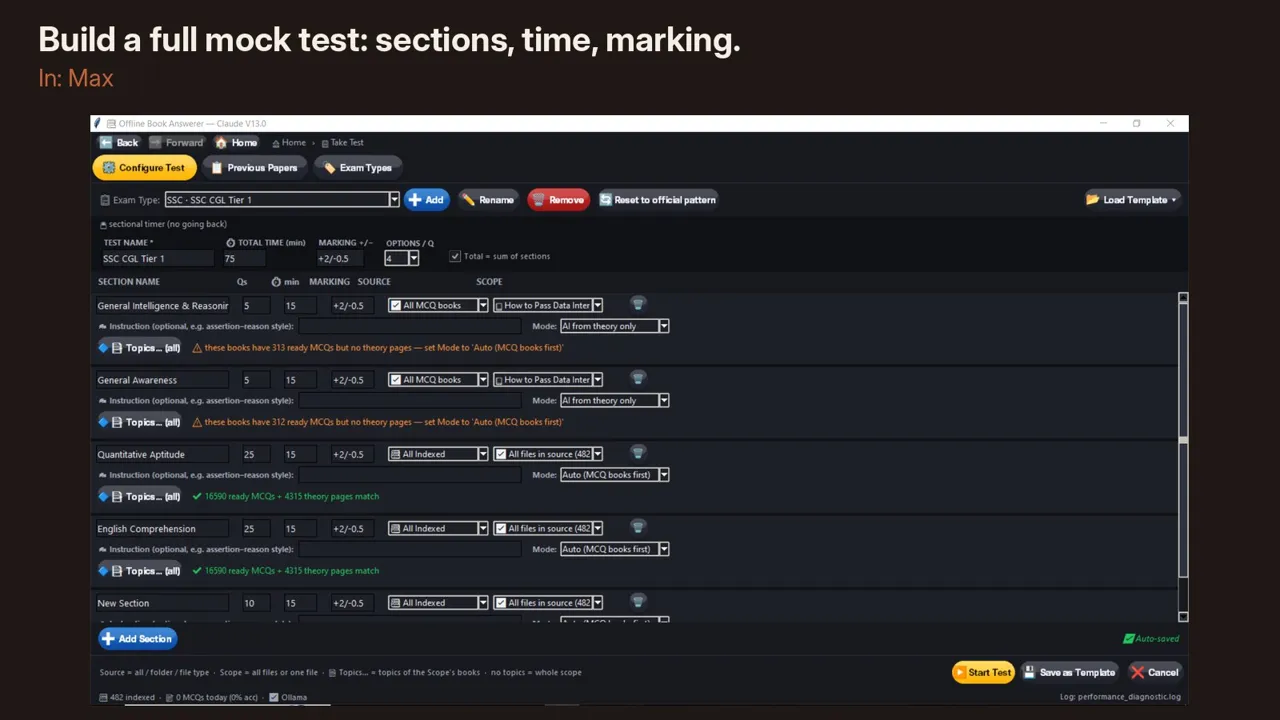
Mock test setup with sections, time and marking
Build a full mock test: sections, time, marking. Max
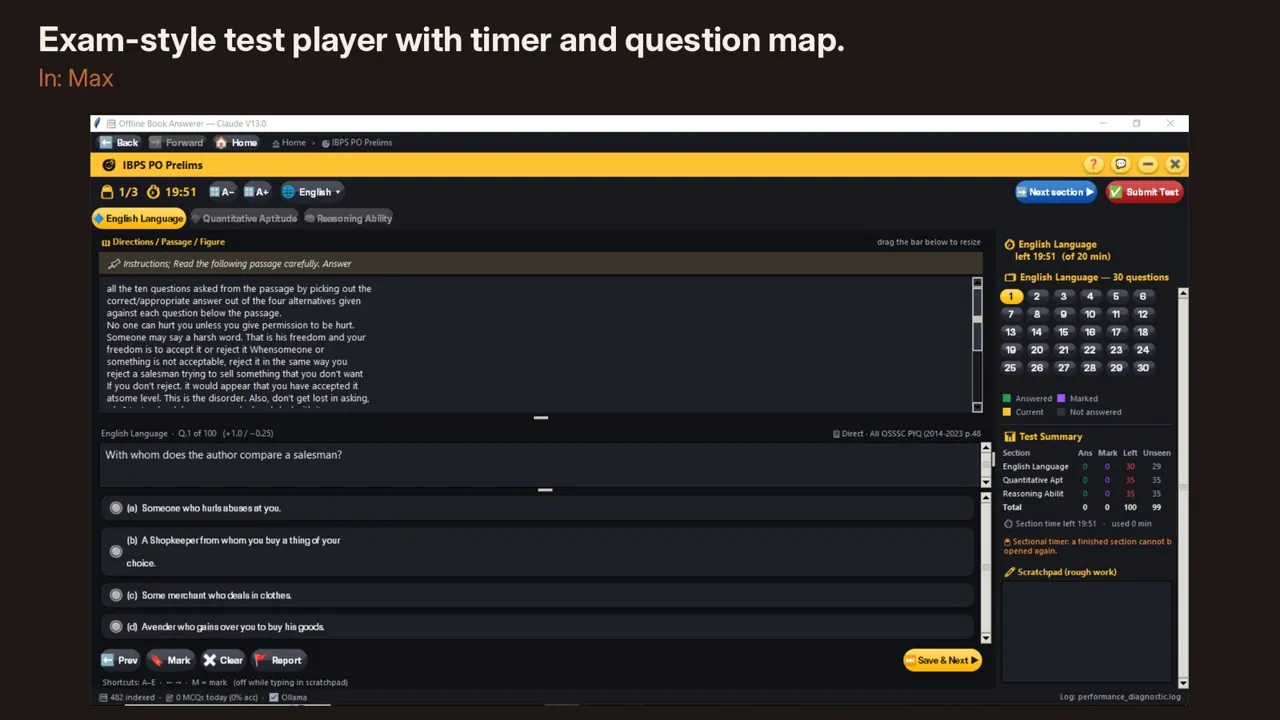
Exam-style test player with timer and question map
Exam-style test player with timer and question map. Max

Plans & Pricing

One-time · Lifetime use · 1 year free updates

Launch prices active — ends 30 March 2027

PC Requirements

Check before buying that your PC meets these needs

💡 Performance tip: Close all other Windows programs while using this app. Running browsers, video players or other apps at the same time will slow it down and may cause lag or sluggishness.
Component Minimum (works, may be slow) Recommended (smooth use)
Windows Windows 10, 64-bit Windows 10 or 11, 64-bit, updated
RAM 12 GB 16 GB or more
Processor Intel Core i3 / AMD Ryzen 3 (2018+) Intel Core i5 / AMD Ryzen 5 or better
Storage C: drive — 2 GB free for the program
Any drive — 10 GB free for your library and the offline AI
(an SSD makes the app much faster)
C: drive — 3 GB free
D: or E: drive — 25 GB free on SSD for your library and the offline AI
Display 1280 × 720 px 1920 × 1080 px or higher
Internet Required for first-time setup only Not required after setup

Install in 4 steps

  1. Download the setup file from the link in your order e-mail and save it anywhere (your Downloads folder is fine).
  2. Double-click it. The program installs on the C: drive (in Program Files, about 2 GB), the normal place for Windows programs. You do not install anything else by hand — the offline AI and the book reader (OCR) are set up by the app.
  3. First start — choose where your files go. A setup window shows the free space on every drive and suggests the one with the most room (usually D: or E:). Your book library, exports, backups and the offline AI model (about 3.5 GB) go there, so your C: drive stays free and your library is safe even if Windows is reinstalled.
  4. Install two free tools once, using the internet: the Ollama app with its AI model (about 3.4 GB), and Tesseract if you use scanned books. The guide in your download shows each step. After that it works fully offline: the app itself never connects to the internet.

You can change the folders later in the app: 📦 Features → Storage folders. The app moves your library for you.

Terms, Refund & Support

Please read before purchasing

By purchasing or using Offline Book Answerer ("the software") you agree to the following terms.

What you may do

  • Install and use the software on the number of PCs covered by your licence
  • Use it for personal study, academic use, or institutional use within your licence tier
  • Make one backup copy for your own use

What you may not do

  • Share, sell, rent, or redistribute the licence key or software
  • Reverse-engineer, decompile, or modify the software
  • Use a single-PC licence on more than one PC simultaneously
  • Use the software for commercial training or resale without a commercial licence

Ownership

Offline Book Answerer is the intellectual property of Offline AI by Sparsh. Purchasing a licence gives you the right to use the software; it does not transfer ownership.

Governing law

These terms are governed by the laws of India. Jurisdiction: Jagatsinghpur, Odisha. Nothing in these terms removes your rights under the Consumer Protection Act, 2019.
Because the software is a digital product delivered with a unique licence key, it cannot be returned once activated. Please check the PC requirements above before buying.

When a refund may be considered

  • Your PC meets the minimum requirements in the table above
  • The app fails to install or open, or a core feature does not work on normal readable files
  • You reported the issue within 7 days of purchase with screenshots and PC details

Refunds will not be given for

  • Change of mind after activation
  • Files that cannot be read due to quality, encryption or format issues
  • Requests made after 7 days from purchase
  • Slow performance on a below-recommended PC (12 GB RAM, HDD, older CPU)

All support is by email only. We do not offer phone support.

How to contact us

  • Email: [email protected]
  • Subject line for faster response:
    • Purchase issues → Purchase Issue
    • Licence key problem → Licence Key Issue
    • Institution enquiry → Institution Enquiry
    • Refund request → Refund Request

Response time

We aim to reply within 2 working days. Emails sent on weekends or public holidays may take longer.

Complaints & privacy

Full Terms & Conditions and Refund Policy for all our products. Seller details and the Grievance Officer are on the Contact & Grievance page. How we handle your data: Privacy Policy.